
May 20
Offline downloaded chapters render panels incorrectly / images overlap each other
Bug report: Offline downloaded chapters have broken renderingI use Komic with a Komga server and downloaded many manga/webtoon chapters for offline reading.
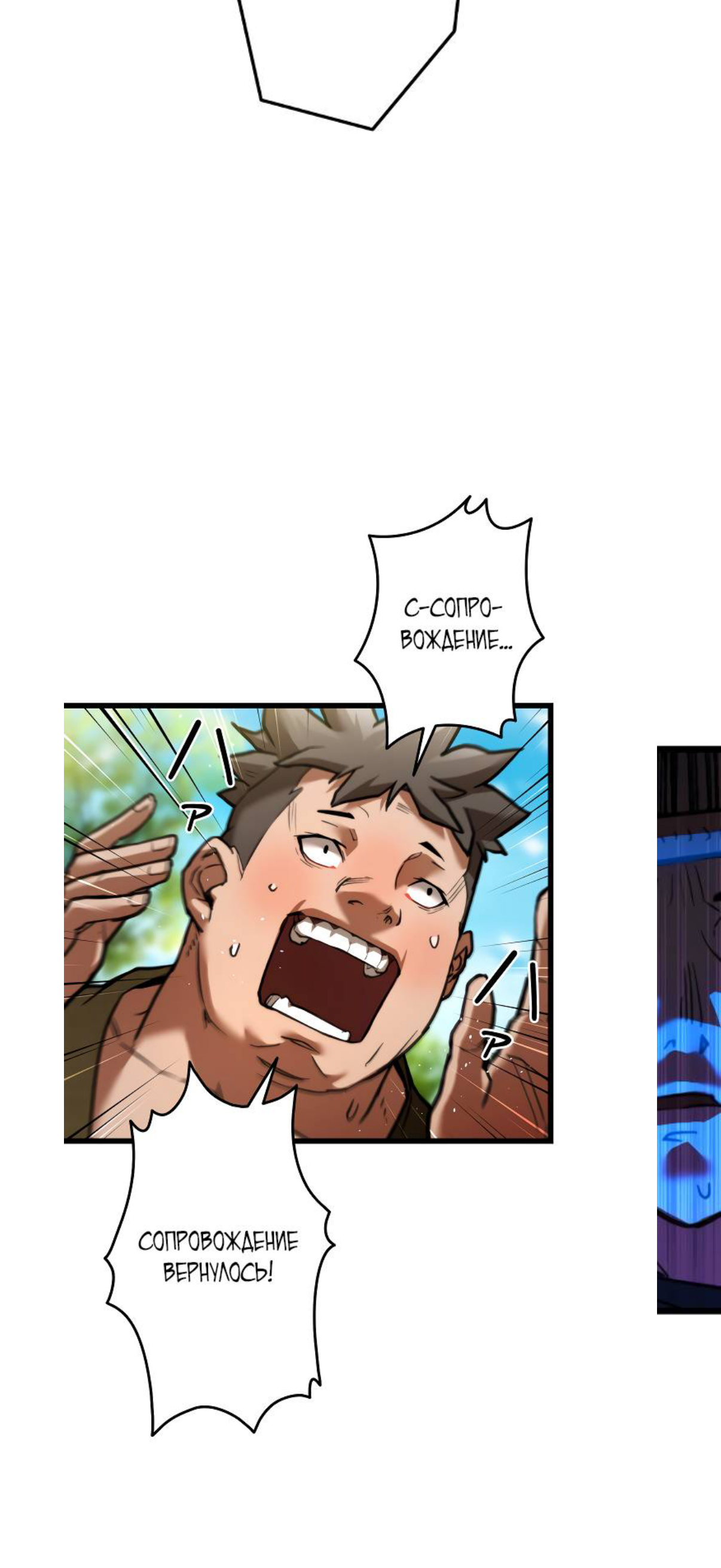
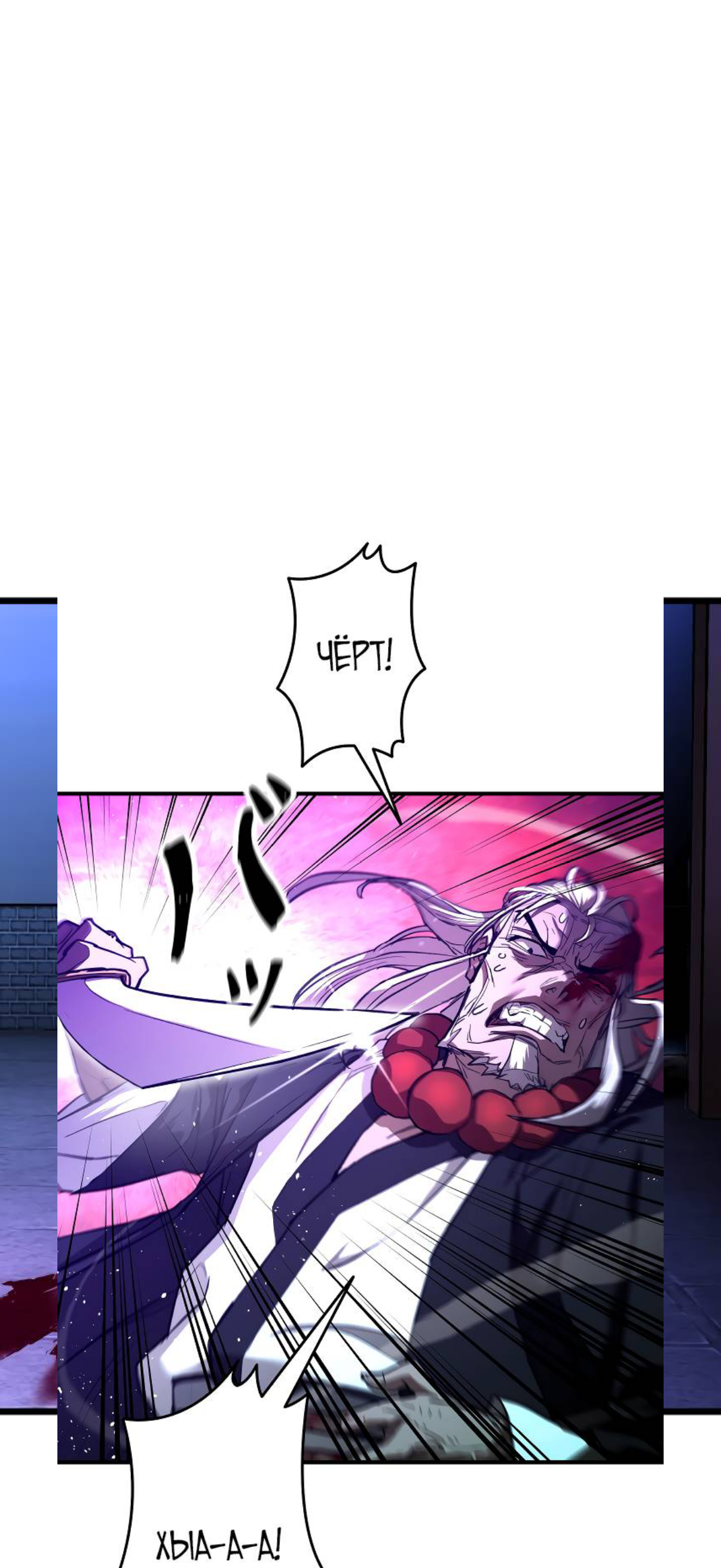
When reading these downloaded chapters offline, images/panels often overlap each other. Parts of different panels are rendered on top of the current one, making the chapter unreadable.The issue can be temporarily fixed by tapping on the broken/overlapped image. After tapping it, the image seems to re-render correctly. However, when continuing to scroll, the issue can appear again on other downloaded images.
Completed
Could you test the newest version and see if it's still happening?